Swagger and the Browseable API
Swagger documentation
Full details of the API are available in the Swagger format including an OpenAPI schema specification.
Note that this documentation can be used with both Username/Password authentication (the default) or
with Token authentication. To use Token Authentication click the authorize button at the top right of
the page and enter Token XXXX where XXXX is your API token in the dialog which appears:
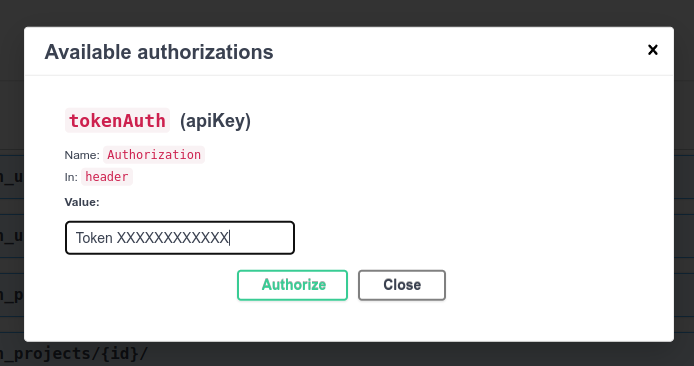
Subsequent requests will submit the authentication header. The token is forgotten when the page is refreshed.
Browseable API
The API can be accessed and viewed in a web browser by navigating to a valid API URL. The web browser will prompt for the username and password to be used for authentication.
Important
The browseable API allows only Username/Password authentication. It cannot be used by users who are logged in via Single Sign on or by API Token Authentication. Use Swagger API documentation to explore the API with API Token Authentication.