# Swagger and the Browseable API
## Swagger documentation
[Full details of the API are available](/api/v1/documentation) in the [Swagger](https://swagger.io) format including an [OpenAPI schema specification](https://swagger.io/resources/open-api/).
Note that this documentation can be used with both Username/Password authentication (the default) or with Token authentication. To use Token Authentication click the authorize button at the top right of the page and enter `Token XXXX` where `XXXX` is your API token in the dialog which appears:
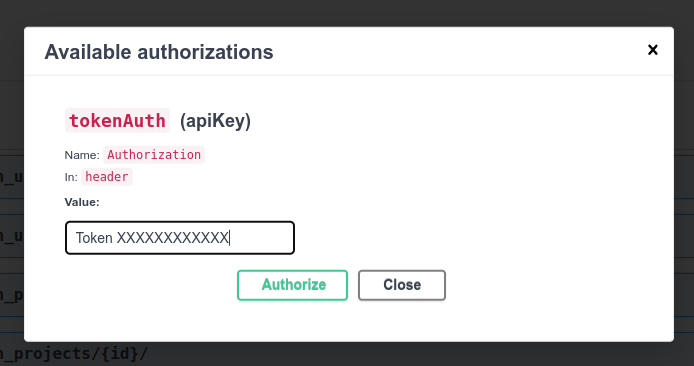
Subsequent requests will submit the authentication header. The token is forgotten when the page is refreshed.
## Browseable API
The API can be accessed and viewed in a web browser by navigating to a valid API URL. The web browser will prompt for the username and password to be used for authentication.
> **Important:** The browseable API allows only Username/Password authentication. It cannot be used by users who are logged in via Single Sign on or by API Token Authentication. Use [Swagger API documentation](/api/v1/documentation) to explore the API with API Token Authentication.